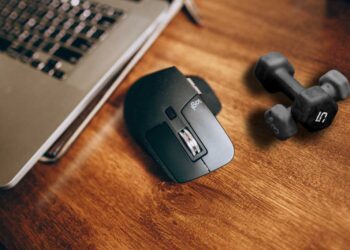
Logitech MX Master 3 and now the new MX Anywhere 3 comes with a phenomenal scroll wheel. The scroll wheel on these mouse and a few others have generally two different scrolling modes. One is old conventional ratchet mode that we all used to with in different mouse throughout our lives and another is free spinning mode or hyper-fast scrolling mode, whatever the new term is.
The settings that allows us to toggle the mouse from static ratchet mode to free spinning mode just in a flick of finger is called Smartshift. Just putting little bit higher pressure does the job. You can apply it via Logi Options+ software.
What is all these fuss about Hyper-Fast Scrolling?

A few select Logitech mouse like MX Master 3, Anywhere 3, G502 Hero etc posses Magspeed Electromagnetic Scrolling. The scroll wheel can scroll down a thousand lines in just a mere second. That’s what is hyper-fast scrolling and that’s what makes these mouse that unique. While working on large data sheets I realized just how amazing this feature is. It makes your workflow so much faster and also saves a ton of time. It also reduces the stressful situations where you just keep scrolling for minutes only to get to the part that you wanted to.
The two Modes
The mouse with Hyper-fast scroll feature has mainly two modes. One is ratchet mode and another is free spinning mode. Ratchet mode allows users to scroll one step at a time like we are used to in every other mouse. In the free spinning mode the scroll wheel becomes freely floating and ultra smooth. In this mode you can scroll 1000 lines in a second pretty easily. You can switch between the modes via the Logi Options+ software. You can assign the top button on the mouse or the gesture button to toggle between the modes easily.
Smartshift

Smartshift is a new feature introduced to the Logi Options+ software and these mouse. In this mode the mouse normally stays in ratchet mode and automatically changes to hyper-fast scrolling mode when we apply little bit higher force while scrolling. This is a great feature that makes the already great MX Master 3 even better. When I didn’t know about this feature I used to always use this mouse in the ratchet mode when I was doing anything. Just when I needed to scroll through some documents or web pages fast, I would press the top button and change the mode to free spinning mode. But, it was bothersome to always keep changing the mode. Smartshift made that problem go away in just a second. Now I always leave my mouse in Smartshift mode and use the top button for other features.
How to Enable
“SmartShift” is the most advanced toggling methods. As it uses an electromagnetic mechanism for switching, it is also possible to switch the mouse to this mode via software. The pathway in the software is as follows.
Logi Options+ → Point and Scroll → Scroll Wheel → Smartshift (Toggle on)
Here you can also set the sensitivity of the scroll wheel.


My Settings
I always keep the smartshift on as almost always I need to use the mouse in ratchet mode and anytime I am scrolling, the free spinning mode has always been my go to mode. I set the scroll sensitivity to 83%. It gives me the perfect balance between the hard and smooth mode for my usages. Smartshift is also available in the new Logitech Anywhere 3. If you are in the market for a new mouse and are confused between MX Master and MX Anywhere 3, you can go through this article here.